Selasa, 20 April 2021

[Reminder] Convert your classic Google Sites to new Google Sites before Sept. 1, 2021

Google logo
Take action to avoid disruption to your Google Sites.
Transition your remaining classic Google Sites before September 1, 2021.

Dear jadwaltv,

In August 2020, we sent you a message that you own one or more classic Google Sites. To ensure others can continue to see your websites, you must convert them to the new Google Sites experience before September 2021.

What do I need to know?

In 2016, we launched an updated Google Sites designed to help you create websites without programming skills, optimize across mobile and desktop, and co-build with real-time collaboration. In 2017, we announced that we are replacing the previous Sites experience, referred to as classic Sites, with our new Google Sites product. In August 2020, we shared more details about the transition timeline.

What do I need to do?

Start your migration today. If you want your websites to continue to be viewable by others, you must convert and publish them to the new Google Sites experience before September 1, 2021.

You can use the Classic Sites Manager to help you transition your websites as follows:

  • Convert your websites to the new experience if you want them to continue to be available to visitors.
  • Download your websites if you want to store archived versions of your websites.
  • Delete websites that you no longer need.

If you take no action, starting September 1, your websites will automatically be converted as follows:

  • Downloaded as an archive and saved to your Google Drive.
  • Replaced with a draft in the new Google Sites experience for you to review and publish.

For more details about this process, refer to the Sites Help Center.

Learn more about Google Sites

We've listened to your feedback, and your top requests are now included in the Google Sites experience.

  • Section layouts and pre-built templates let you create websites with fewer clicks and less site creation knowledge.
  • Version history allows you to see your edit history, revert and restore previous versions, and review the history of who made changes.
  • Customized text styles and new tile types let you be more expressive with website content, including a table of contents, image carousels, collapsible text, and more.
  • Custom URLs and publishing to an audience let you share your website content.

See what else is new in Google Sites.

How can I get help?

For additional resources on what you need to know and how to manage your transition, visit the Sites Help Center.

Thanks for choosing Google Sites.

The Google Sites Team

© 2021  Google LLC 1600 Amphitheatre Parkway, Mountain View, CA 94043

You have received this mandatory email announcement to update you about important information related to your Google account.

Rabu, 16 Desember 2020

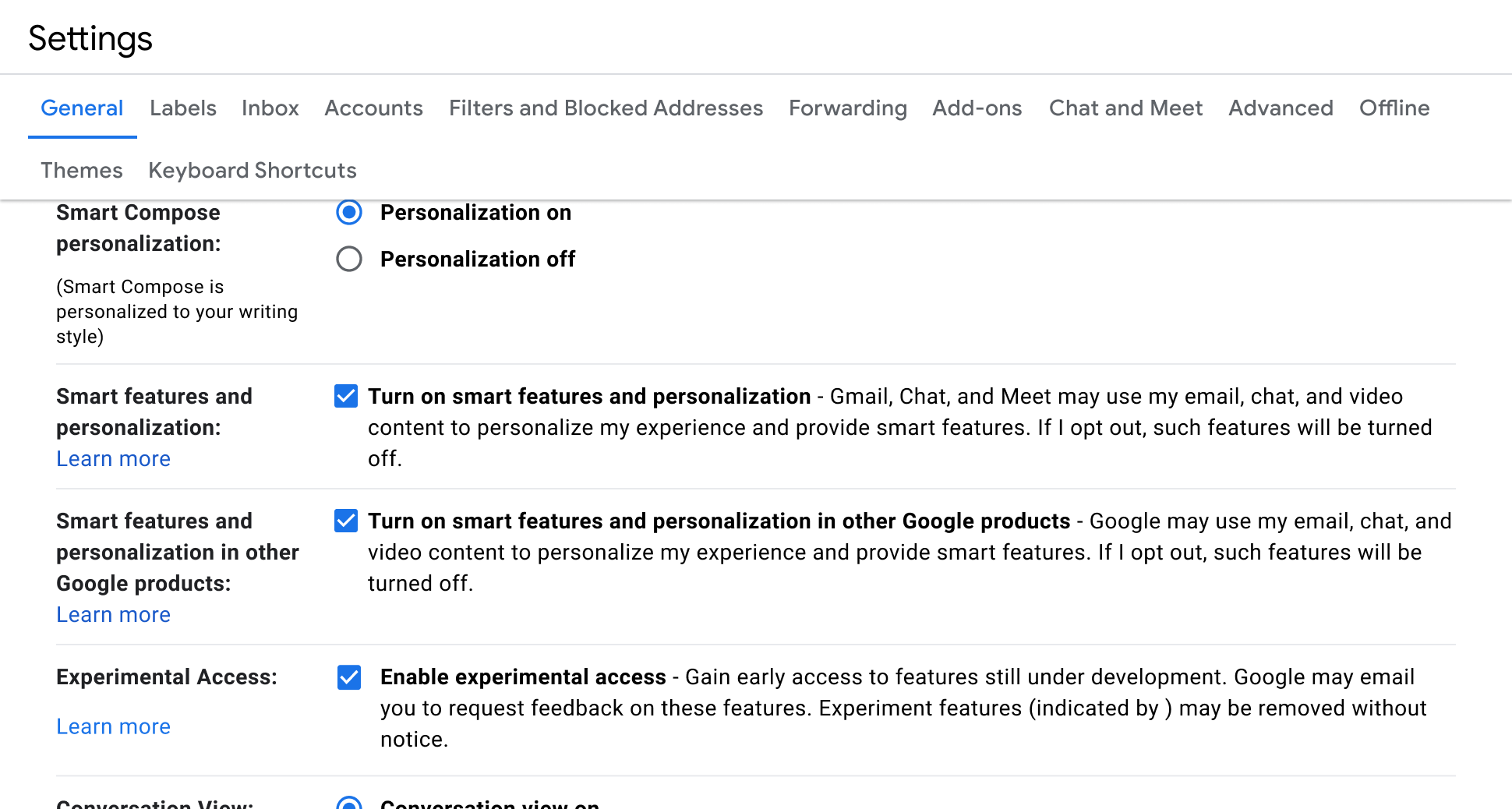
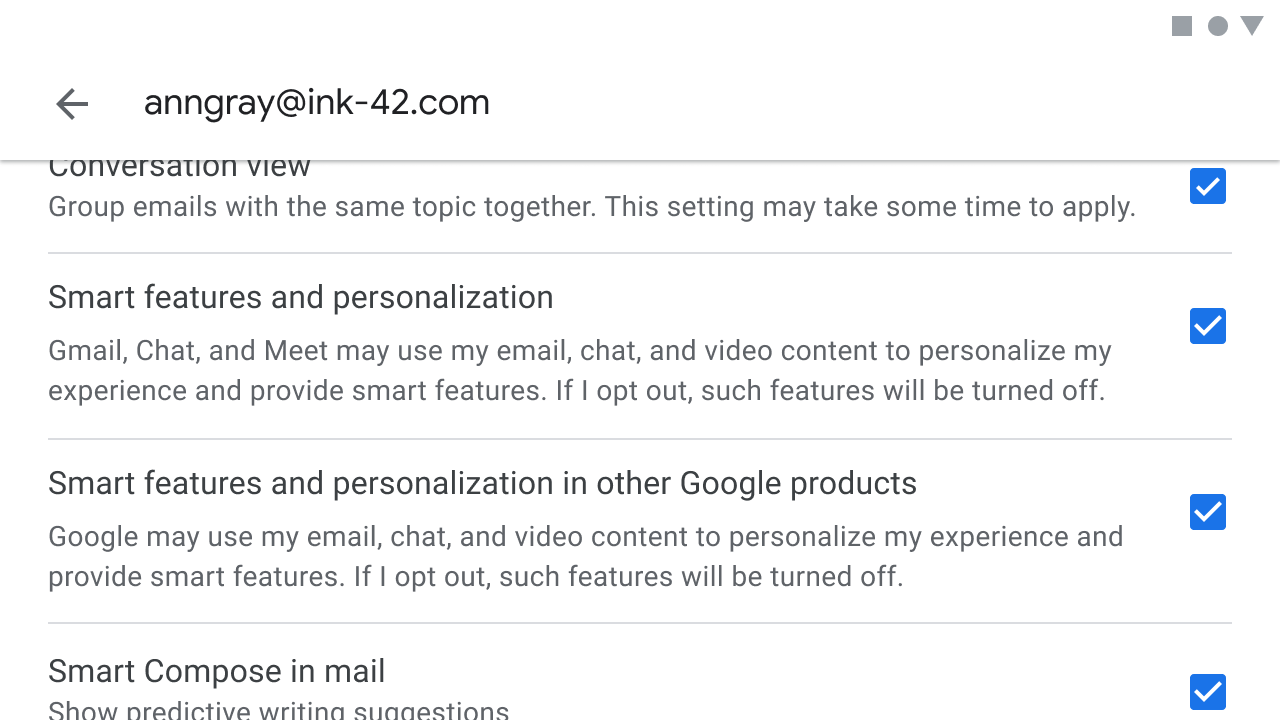
Choose how your information is used and shared for Gmail, Google Chat, and Google Meet before January 25th, 2021

New Gmail, Google Chat, and Google Meet settings provide you more control over your information

Sabtu, 12 Desember 2020

Important policy changes for Google Account storage

                                                                                                                                                                                              
New inactive and over quota storage policies
 ‌ ‌ ‌ ‌ ‌ ‌ ‌ ‌ ‌ ‌ ‌ ‌ ‌  ‌ ‌ ‌ ‌ ‌ ‌ ‌ ‌ ‌ ‌ ‌ ‌ ‌  ‌ ‌ ‌ ‌ ‌ ‌ ‌ ‌ ‌ ‌ ‌ ‌ ‌  ‌ ‌ ‌ ‌ ‌ ‌ ‌ ‌ ‌ ‌ ‌ ‌ ‌  ‌ ‌ ‌ ‌ ‌ ‌ ‌ ‌ ‌ ‌ ‌ ‌ ‌  ‌ ‌ ‌ ‌ ‌ ‌ ‌ ‌ ‌ ‌ ‌ ‌ ‌  ‌ ‌ ‌ ‌ ‌ ‌ ‌ ‌ ‌ ‌ ‌ ‌ ‌  ‌ ‌ ‌ ‌ ‌ ‌ ‌ ‌ ‌ ‌ ‌ ‌ ‌ ‌ ‌ ‌ ‌ ‌ ‌ ‌ ‌  ‌ ‌ ‌ ‌ ‌ ‌ ‌ ‌ ‌ ‌ ‌ ‌ ‌ ‌ ‌ ‌ ‌ ‌ ‌  ‌ ‌ ‌ ‌ ‌ ‌ ‌ ‌ ‌ ‌ ‌ ‌ ‌  ‌ ‌ ‌ ‌ ‌ ‌ ‌ ‌ ‌ ‌ ‌ ‌ ‌  ‌ ‌ ‌ ‌ ‌ ‌ ‌ ‌ ‌ ‌ ‌ ‌ ‌  ‌ ‌ ‌ ‌ ‌ ‌ ‌ ‌ ‌ ‌ ‌ ‌ ‌  ‌ ‌ ‌ ‌ ‌ ‌ ‌ ‌ ‌ ‌ ‌ ‌ ‌  ‌ ‌ ‌ ‌ ‌ ‌ ‌ ‌ ‌ ‌ ‌ ‌ ‌  ‌ ‌ ‌ ‌ ‌ ‌ ‌ ‌ ‌ ‌ ‌ ‌ ‌ ‌ ‌ ‌ ‌ ‌ ‌ ‌ ‌  ‌ ‌ ‌ ‌ ‌ ‌
Dear Google User,
We are writing to let you know that we recently announced new storage policies for Google Accounts using Gmail, Google Drive (including Google Docs, Sheets, Slides, Drawings, Forms, and Jamboard files) and/or Google Photos that bring us in line with industry practices. Since you have previously used one or more of these products in your Google Account storage, we wanted to tell you about the new policies well before they go into effect on June 1, 2021. Below is a summary of the new policies. Please reference our Help Center article for a complete list of what's changing.
Summary of the new policies (effective June 1, 2021):
• If you're inactive for 2 years (24 months) in Gmail, Drive or Photos, we may delete the content in the product(s) in which you're inactive. Google One members who are within their storage quota and in good-standing will not be impacted by this new inactive policy.
• If you exceed your storage limit for 2 years, we may delete your content across Gmail, Drive and Photos.
What this means for you:
• You won't be impacted by these changes unless you've been inactive or over your storage limit for 2 years. As this policy goes into effect June 1, 2021, the earliest it would be enforced is June 1, 2023.
• After June 1, 2021, if you are either inactive or over your storage limit, we will send you email reminders and notifications in advance and prior to deleting any content.
• Even if you are either inactive or over your storage limit for one or more of these services and content is deleted, you will still be able to sign in.
• Note: The inactivity and over quota storage policies will apply only to consumer users of Google services. Google Workspace, G Suite for Education and G Suite for Nonprofits policies are not changing at this time, and admins should look to the Admin Help center for storage policies related to their subscriptions.
Learn more about how to keep your account active
• To learn more about how to remain active with these products, visit this Help Center page.
• The Inactive Account Manager can help you manage specific content and notify a trusted contact if you stop using your Google Account for a certain period of time (between 3-18 months). Note: the new 2 year inactive policy will apply regardless of your Inactive Account Manager settings. You can learn more about these changes and ways to manage your or a loved one's account in our Help Center.
Learn how to manage your storage
• Learn more about the over quota policy and what counts against storage quota.
• You can use the free storage manager in the Google One app and on the web to see how you're using your Google Account storage, and free up space across Gmail, Google Drive, and Google Photos.
Your Google Team